There are no items in your cart
Add More
Add More
| Item Details | Price | ||
|---|---|---|---|

You scan a QR code, enter your UPI PIN, and within seconds the payment is done. But what actually happens between those two taps? Let's look behind the scenes of a UPI payment and understand how QR codes, apps, banks and the UPI network work together.
October 2, 2026
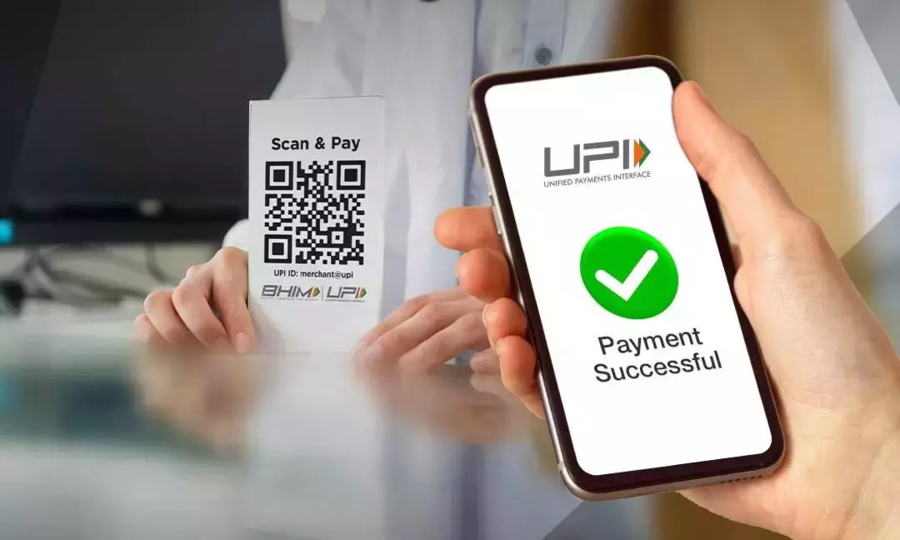
Imagine you are at a small café. You finish your coffee, open your UPI app, scan the QR code at the counter and tap Pay.
A few seconds later, the shopkeeper's phone makes a sound. Payment successful.
It feels almost instantaneous. But your money did not simply travel from your phone to the shopkeeper's phone.
Behind that simple QR scan is a chain of communication involving your UPI app, your bank, the UPI infrastructure and the merchant's bank.
Understanding this process gives you a much better idea of what digital payments actually look like behind the screen.
UPI stands for Unified Payments Interface. It is a payment system that allows users to make bank-to-bank payments through UPI-enabled applications.
The important thing to understand is that your UPI app is not necessarily where your money is stored.
Your money remains in your bank account. The UPI app provides the interface through which you can initiate and authorize a transaction.
So when you pay a merchant using UPI, the app helps communicate your payment request to the banking and UPI infrastructure that processes the transaction.
The process begins when you point your phone's camera at a UPI QR code.
A QR code is simply a machine-readable way of representing information. In a UPI payment, that information can identify the payment destination and, depending on the QR type, may also contain transaction-specific details.
Your phone does not transfer money just because you scanned the code.
The scan essentially gives your UPI app the information it needs to prepare a payment.
After scanning, your UPI app reads the information contained in the QR code.
The app can then identify the payment destination and display the relevant details to you.
This is why you should always check the recipient information before pressing Pay.
At this stage, no money has been transferred yet. You are still preparing and reviewing the transaction.
Now you confirm that you want to make the payment.
Depending on the transaction, you may select a bank account, enter or confirm the amount and then proceed with authentication.
This is an important distinction: scanning the QR code is not the same as authorizing the payment.
The actual authorization happens when you authenticate the transaction.
This is where your UPI PIN becomes important.
The UPI PIN is used to authorize a payment from your bank account. It is not simply another password for opening your UPI application.
Once you enter the correct PIN, the payment request can move forward for processing.
This is also why you should never share your UPI PIN with anyone.
After you authorize the transaction, the request moves through the UPI payment infrastructure.
Your UPI app communicates the transaction request into the UPI ecosystem, which coordinates the payment between the participating banks.
This is one reason why saying "I paid through Google Pay" or "I paid through PhonePe" is slightly misleading from a technical perspective.
You used the app to initiate the payment, but the underlying transaction involves the banking system and UPI infrastructure.
Your bank has to process the payment request.
The banking system performs the necessary checks before the transaction can be completed. These checks can include authentication and whether the transaction can be processed from the selected account.
If everything is valid, the transaction can continue.
If something goes wrong, such as a temporary technical issue or a bank-side problem, the payment may fail or remain pending.
Now there is another important participant: the merchant's bank.
The merchant has an account with a bank, and the payment needs to reach the correct destination account.
UPI coordinates communication between the relevant participants so that the payment request can be processed correctly.
In other words, your phone and the merchant's QR code are only the visible parts of the process. The actual payment processing happens through the underlying financial infrastructure.
Once the transaction is successfully processed, the payment is reflected between the participating bank accounts.
Your bank account is debited and the recipient's account is credited according to the transaction.
The important point is that the money is not physically travelling through the internet like a file being copied from one phone to another.
What travels through the network are secure transaction messages and instructions that allow the participating financial systems to update the relevant accounts.
Once the transaction reaches a final status, that result is communicated back through the payment ecosystem.
Your UPI app then shows you the result.
If the transaction succeeds, you see a successful payment confirmation. The merchant can receive confirmation as well.
All of this can happen within seconds, which is what makes UPI feel almost instantaneous during everyday payments.
A UPI QR code is not a magical representation of your bank account balance.
It contains machine-readable payment information that helps the UPI application identify where the payment should be directed.
When you scan it, your app interprets that information and uses it to construct the payment request.
This is why a QR code itself does not "hold" your money. It helps identify the payment destination.
Not every UPI QR code works in exactly the same way.
A static QR code can be reused for multiple payments. A shop may display the same QR code at its counter every day, while customers enter the amount themselves.
A dynamic QR code can be generated for a specific transaction and may contain transaction-related information such as the amount.
From the customer's perspective, both may look like a simple QR scan. Behind the scenes, however, the payment information provided to the app can be different.
The impressive part of UPI is not the QR code itself.
The real achievement is the infrastructure working behind the QR code.
Several systems need to communicate quickly: your UPI application, your bank, the UPI infrastructure and the recipient's bank.
Instead of requiring you to manually enter bank account numbers, IFSC codes and other details for every small payment, UPI provides a standardized way for these systems to communicate.
The result is a payment experience that feels almost as simple as sending a message.
Sometimes you scan a QR code, enter your PIN and still do not get a successful payment.
This can happen for several reasons, including temporary connectivity problems, bank-side issues, system availability problems or other transaction processing failures.
A payment can also sometimes appear pending instead of immediately showing success or failure.
In such situations, the final status may require the participating systems to reconcile the transaction before the result is clear.
That is why repeatedly making the same payment immediately after a failed or pending transaction can sometimes create confusion or even result in duplicate payments.
Not at all.
QR payments are simply one of the most visible ways people interact with UPI.
UPI can also be used through UPI IDs, online checkout pages, bill payments, recurring mandates and several other payment experiences.
The common idea is that UPI provides a standardized way to initiate and process digital payments between participating banks.
So the next time you pay on a website using UPI, there may be no QR code involved at all, but the underlying payment infrastructure is still doing much of the work.
UPI makes payments convenient, but convenience should not replace caution.
Your UPI PIN is used to authorize payments. It should never be shared with another person, even if someone claims to be calling from a bank or payment service.
There is also an important scam to remember: you generally do not need to enter your UPI PIN to receive money.
If someone asks you to scan a QR code and enter your PIN to "receive" a payment, stop and verify what is actually happening. Scanning and authorizing a QR-based transaction can initiate a payment from your account.
Always check the recipient details and amount before approving a transaction.
Here is the whole process in simple terms:
All of this happens behind what looks like one simple action: scanning a QR code and tapping Pay.
One of the most interesting things about UPI is how much complexity it hides from the user.
You do not need to understand banking infrastructure every time you buy a ₹50 snack. You simply scan, verify, authorize and move on.
That simplicity is the result of multiple systems working together behind the scenes.
And this is a useful lesson in technology generally. The best systems often hide their complexity from the person using them.
When you scan a QR code, you are not just using a camera feature. You are interacting with a large digital payment ecosystem that connects applications, banks and payment infrastructure in seconds.
No. Scanning the QR code provides payment information to your UPI app. You still need to review and authorize the transaction before the payment is processed.
The money comes from the bank account you use for the UPI transaction. The UPI app provides the interface for initiating and authorizing the payment.
Authentication requirements can vary depending on the type of transaction and applicable rules. For standard UPI payments, the UPI PIN is commonly used to authorize the transaction.
Be careful with this situation. Scanning a QR code and entering your UPI PIN is generally associated with authorizing a payment, not simply receiving money. Always understand what transaction you are approving.
A payment can remain pending when the participating systems have not yet reached or communicated a final transaction status. Connectivity, bank-side issues and other technical problems can contribute to delays.
The next time you scan a UPI QR code, remember that the QR code is only the beginning.
Your app reads the payment information, you authorize the transaction, your bank processes the request and the UPI ecosystem coordinates communication with the recipient's bank.
What looks like a two-second payment is actually a carefully coordinated digital transaction happening across multiple systems.
Scan. Verify. Authorize. Done.
Anas Khan
Technology and data science content writer, researcher, and educator.